👛 Transfer ETH & Tokens
Transferring ETH & tokens is only available through the Telegram Bot. This functionality will be added to Unibot X at a later time.
How to access
/menuin the Telegram bot.- Click
⚙️ Settings. - Click
Transfer EthorTransfer Tokenas desired.
Interface
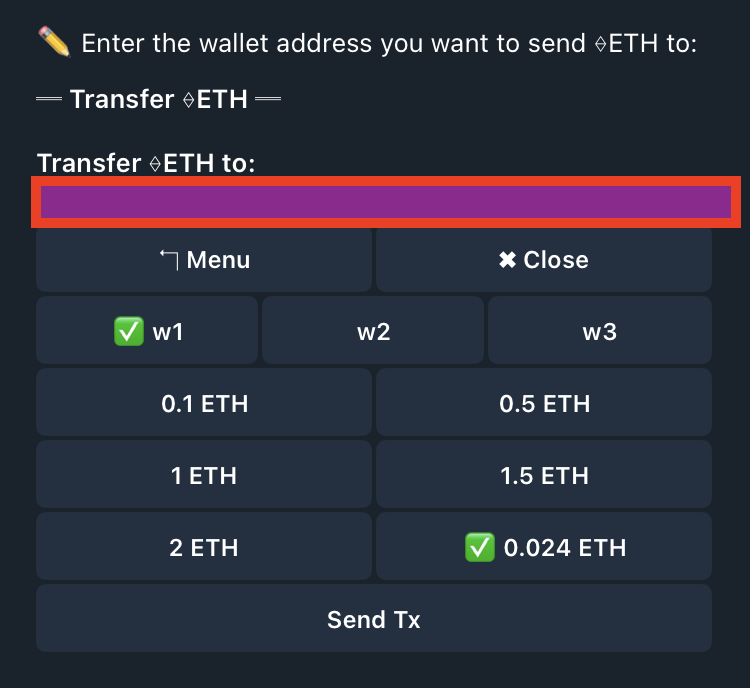
Transfer ETH
- Choose Wallet - Choose which Unibot wallet (w1, w2, or w3) you want to send ETH from.
- To Wallet - Choose which Unibot wallet you want to send ETH to, or enter a custom address. (This action is done before reaching this page.)
- Transfer Amount - Choose from preset ETH amounts to send, or enter a custom amount of ETH you want to transfer to the desired wallet.
- Send Tx - After clicking, your transfer will immediately be executed.
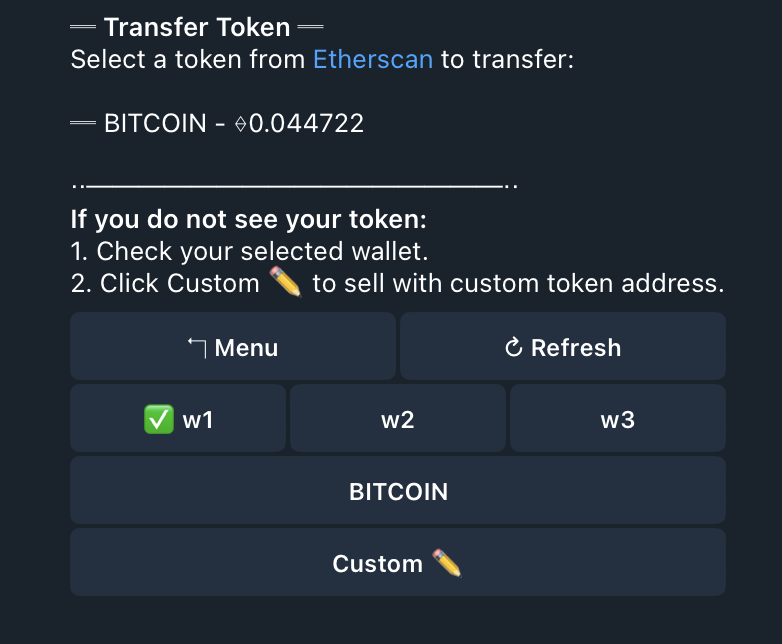
Transfer Token
- Choose Wallet - Choose which Unibot wallet (w1, w2, or w3) you want to send tokens from.
- Select Token - The tokens held by each of your wallets is presented in a list below your three wallets. Click the token on the list you wish to transfer.
* If a token you own is not on the list, click 'Custom ✏️' and enter the contract address of that token.
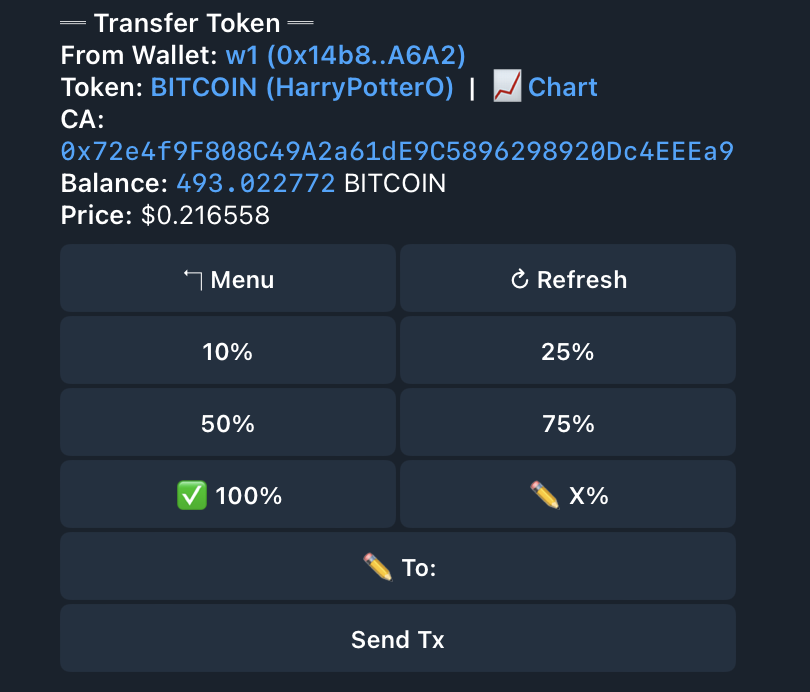
Transfer token example
- After selecting or inputting the token you wish to transfer, choose a percentage (%) of the token you want to transfer, or click the '✏️X%' button to input a custom % (i.e., 8%).
- To ✏️ - Enter the wallet address where you wish to send your tokens.
- Send Tx - After everything is configured, click 'Send Tx' to execute the transfer.