🔗 Link Wallet for Holder Benefits
How to access
/menuin the Telegram bot.- Click
⚙️ Settings. - Click
Link Wallet. - You will be asked for a signature code, which you can generate as below.
Signature code generation
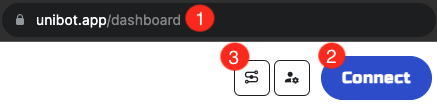
Signature generation
- Go to the Revenue Sharing dashboard.
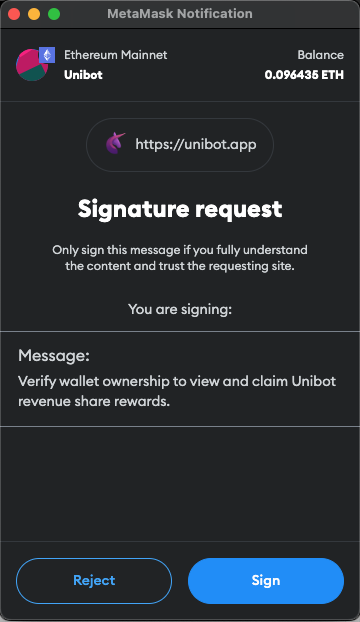
Revenue Sharing Dashboard - Sign in
- Connect to your web wallet, ideally Metamask. After clicking Connect your wallet will prompt you to sign a message as shown above.
- Click the Connect to Telegram Bot icon-button highlighted in the first screenshot.
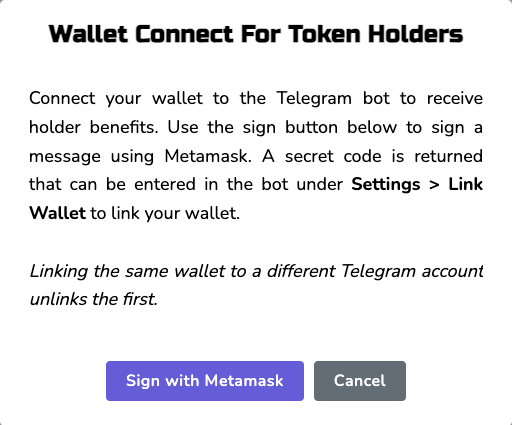
"Link Wallet" popup
- A popup will appear with the Sign with Metamask button as above.
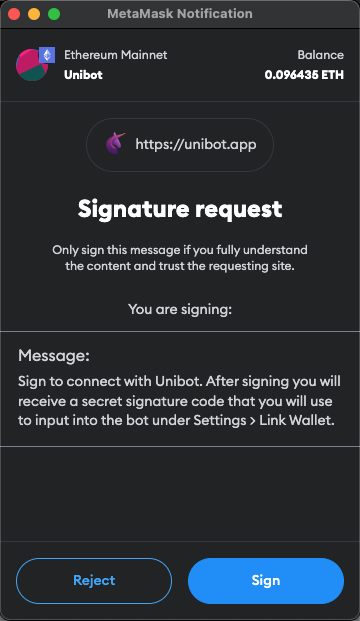
Sign "Link Wallet" message
- After clicking the Sign with Metamask button, your wallet will prompt you to sign the Link Wallet message.
.png)
Signature generation complete
- Your wallet signature (
0x...) will be shown. Click the code to copy it, then paste the code into your Telegram bot.
Link Wallet Confirmation
- Go to the Telegram bot
⚙️ Settings - You will see the following text:
⚙️ User Settings ⚙️
⬩_Linked Wallet: \
- If your Loyalty Program tier hasn't updated yet, check again in 15-30 minutes.